“Where is the right form?”
Use published forms tailored to your department. Capture structured information from the patient’s encounter, with supported fields pre-filled from the database.
See how forms use patient context →Made for the public-sector working day
Stop searching for blank forms and writing the same patient details again. Apex brings customisable forms, pre-filled patient information and clinical flows into one shared workspace — with printable documents for the patient file.
Inside Apex
Capture structured information in customisable forms. Pre-fill supported fields from the patient record and prepare configured documents for printing.
Explore this workflow ↗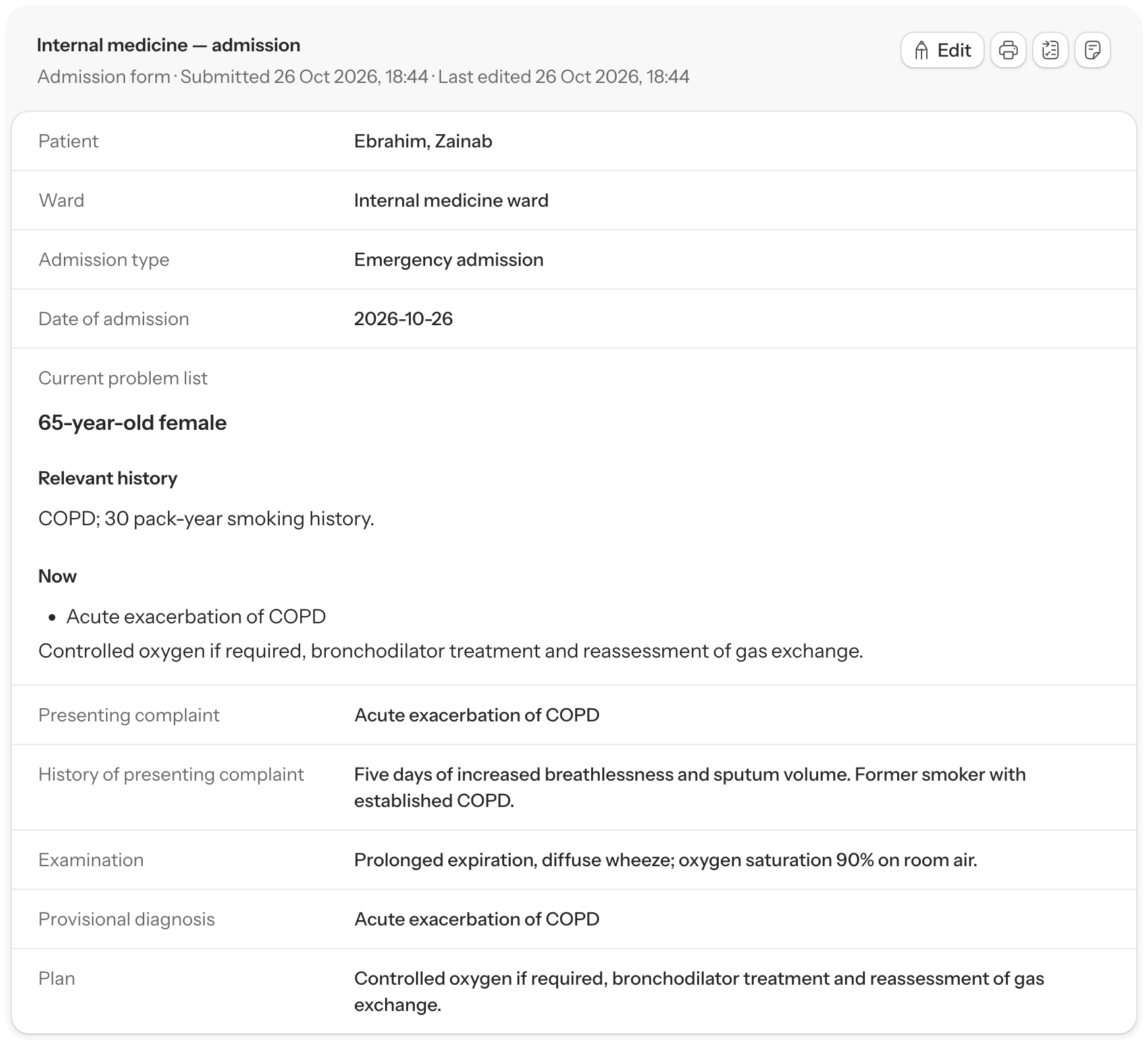
Built around clinical productivity
On a busy service, small repeated jobs add up: finding the right form, rewriting patient details, checking who is doing what. Apex is built to shorten that work, from admission to discharge.
Use published forms tailored to your department. Capture structured information from the patient’s encounter, with supported fields pre-filled from the database.
See how forms use patient context →Put admission and discharge steps into a customisable clinical flow. Complete the required forms and prescription steps, then review and print the configured documents for the folder.
From clinical flow to print →Keep current problems and patient-linked tasks visible to the team. Assign the next job, set its priority and due date, and update its status for the people taking over.
Coordinate the team’s work →Designed for the setting
Open Apex in a browser and sign in securely with your own account. Your authorised patient records and department workspace are accessible from your phone or any connected computer.
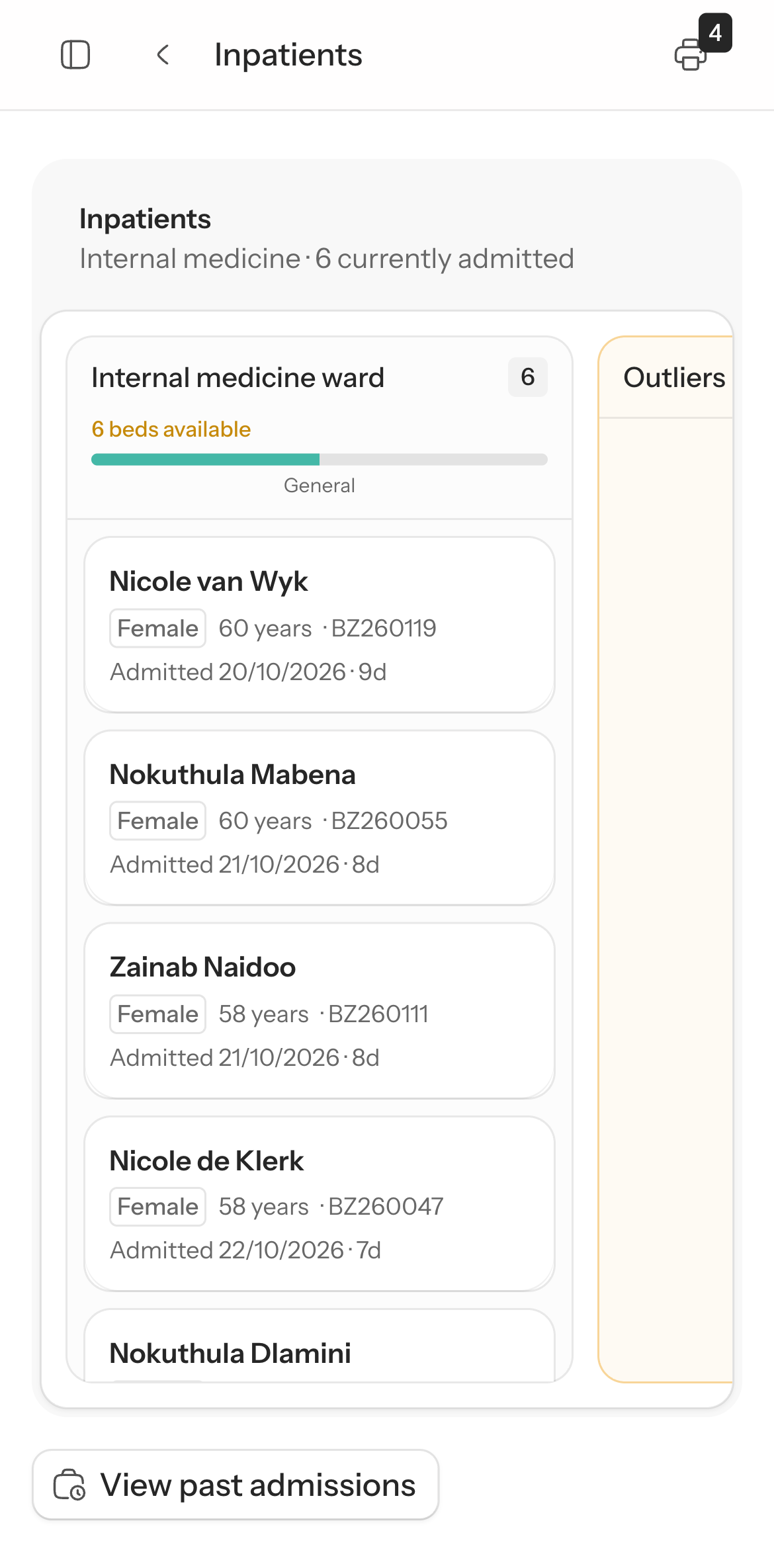
Open your department’s ward list, check bed availability and select a patient to review their record.
Use the same account for longer documentation and printing. Your department access follows your sign-in.
An internet connection is required. Sign out when you finish on a shared computer.
One patient record, different clinical settings
Departments enable and configure the workspaces that fit their service. Forms and clinical flows adapt the information you capture within that setup.
Organise open admissions by ward, find the patient record and work through admission, ward tasks and discharge.
Explore the workflow →Book follow-up against clinic schedules and capacity, view the day’s patients and manage attendance or rescheduling.
Explore the workflow →Use the theatre workspace to organise cases and operating lists. Theatre setup and access determine the lists and actions available to your team.
Configure inpatient wards, bed sections and department-specific forms for your service. Use that setup to organise the patient list and capture the clinical information your team needs.
Define the information to capture and the sequence of work. Reuse patient context and generate configured documents for printing.
Explore the workflow →Keep patient-linked jobs assigned, prepare prescriptions with dated stock context, and access LabTrak where the external service is configured.
Explore the workflow →A practical introduction
See how department-specific forms, clinical flows and shared worklists fit together. Real screens, short recordings and practical instructions for the team.
Open the field guide No sign-in needed to explore.